Vim in Could, part 2
Vimdiff and repository.
Accessing the repository from a browser gives you an opportunity to nicely compare the newest code to any other branch (feature or master), perhaps release (by tagging).
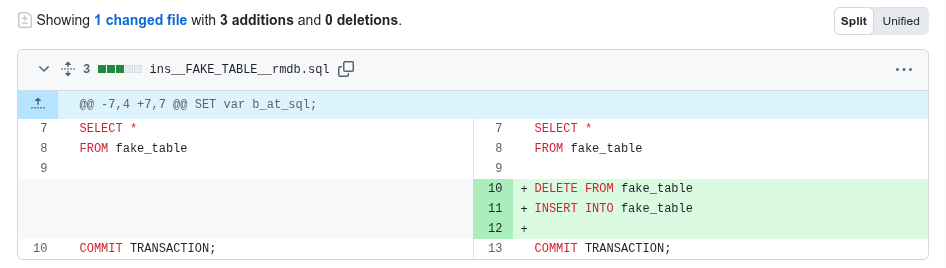
What git offers
But how about comparing the current changes before pushing a commit up?
See the following session.
$ git status
On branch main
Your branch is up to date with 'origin/main'.

Changes not staged for commit:
  (use "git add <file>..." to update what will be committed)
  (use "git restore <file>..." to discard changes in working directory)
        modified:   ins__FAKE_TABLE__rmdb.sql

no changes added to commit (use "git add" and/or "git commit -a")
$ git diff HEAD -- ins__FAKE_TABLE__rmdb.sql
diff --git a/ins__FAKE_TABLE__rmdb.sql b/ins__FAKE_TABLE__rmdb.sql
index ce7752b..ce9ff81 100644
--- a/ins__FAKE_TABLE__rmdb.sql
+++ b/ins__FAKE_TABLE__rmdb.sql
@@ -4,6 +4,9 @@ DECLARE b_at_sql;
 SET var a_at_sql;
 SET var b_at_sql;

+DELETE FROM fale_table;
+INSERT INTO fake_table;
+
 SELECT *
 FROM fake_table

$
Although, git gives an overview but if the code is more advanced it is cumbersome to follow.
See this side by side
First, let’s configure vimdiff as a differences review tool:
$ git config --global diff.tool vimdiffNow you try: update a file locally and compare with the master-branch:
$ git difftool HEAD -- ins__FAKE_TABLE__rmdb.sql

Viewing (1/1): 'ins__FAKE_TABLE__rmdb.sql'
Launch 'vimdiff' [Y/n]?
Hit the [ENTER] and you see remote (HEAD on the left pane: /tmp/...) ?
against the local version (on the right):
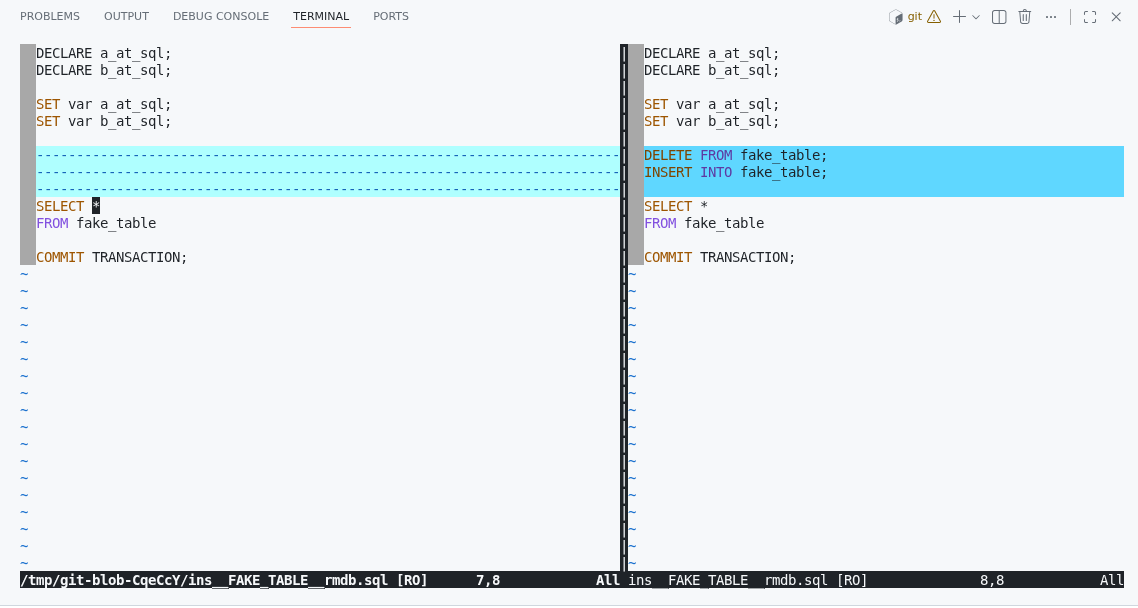
See Vim in cloud, part 1 to learn how to remap [Ctrl]+[W] if necessary.
Also I’m assuming you know how to quit vi/vim (:q [ENTER]) but remember that you have actually opened two files, one local, one remote and you need to quit them both – do :q twice.
Whitespaces
If should you be confused by white spaces, execute in vimdiff
:set diffopt=iwhite
Later
Avoid prompts for every single file:
$ git config --global difftool.prompt falseto be continued…